Drip gives your customers a beautiful way to order ahead and collect stamps — and gives your team one calm place to run the bar, the menu and the whole shop. One application across web, iOS and Android.
Built for the morning rush — and the quiet moments after.
Scroll to see every screen
3connected roles
1app for web, iOS & Android
Liveorders, stamps & menu
Nativepush, camera & payments
Three points of view
One app. Three experiences.
Customers get a storefront worth opening. Staff get a queue that keeps itself in order. Admins get the controls behind the counter — all inside the same application.
For customers
Their usual, before they arrive.
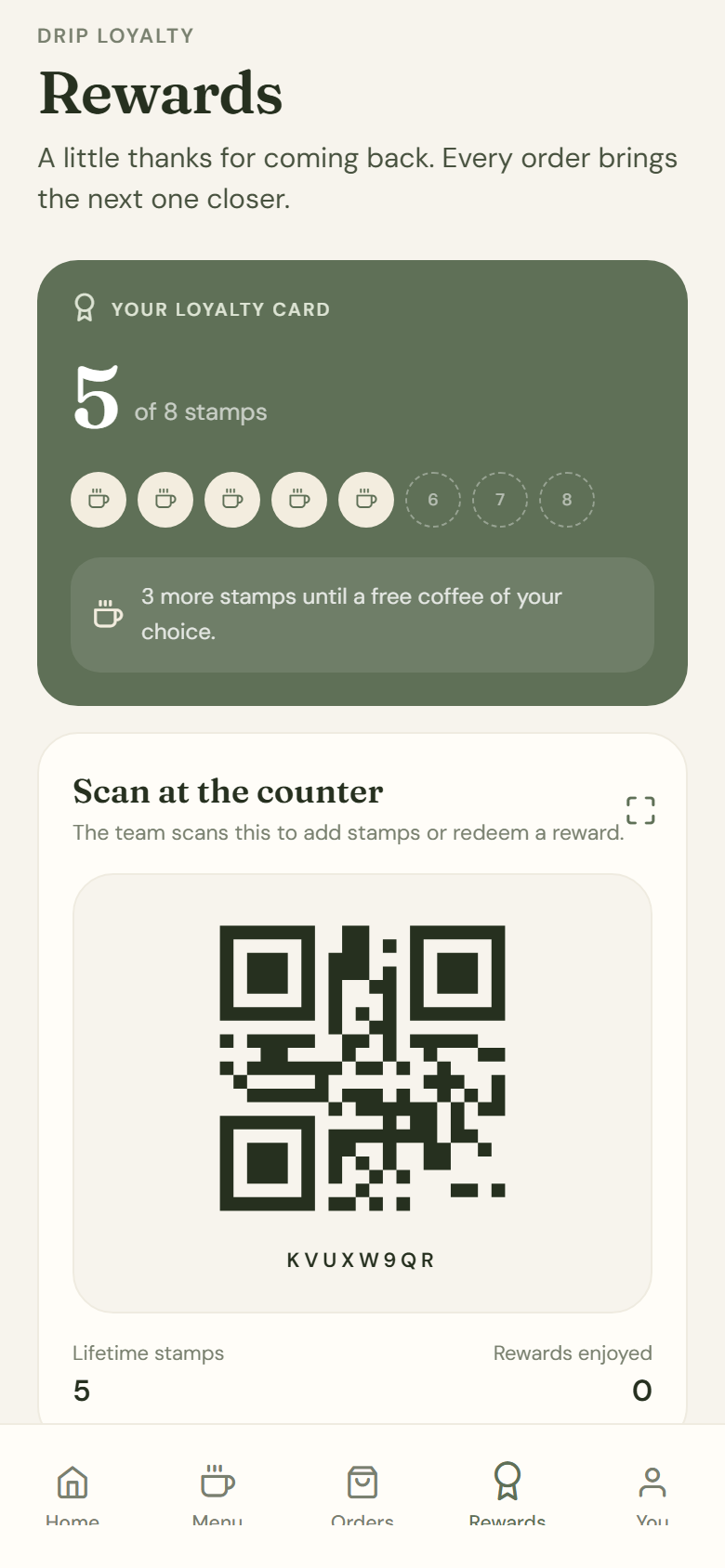
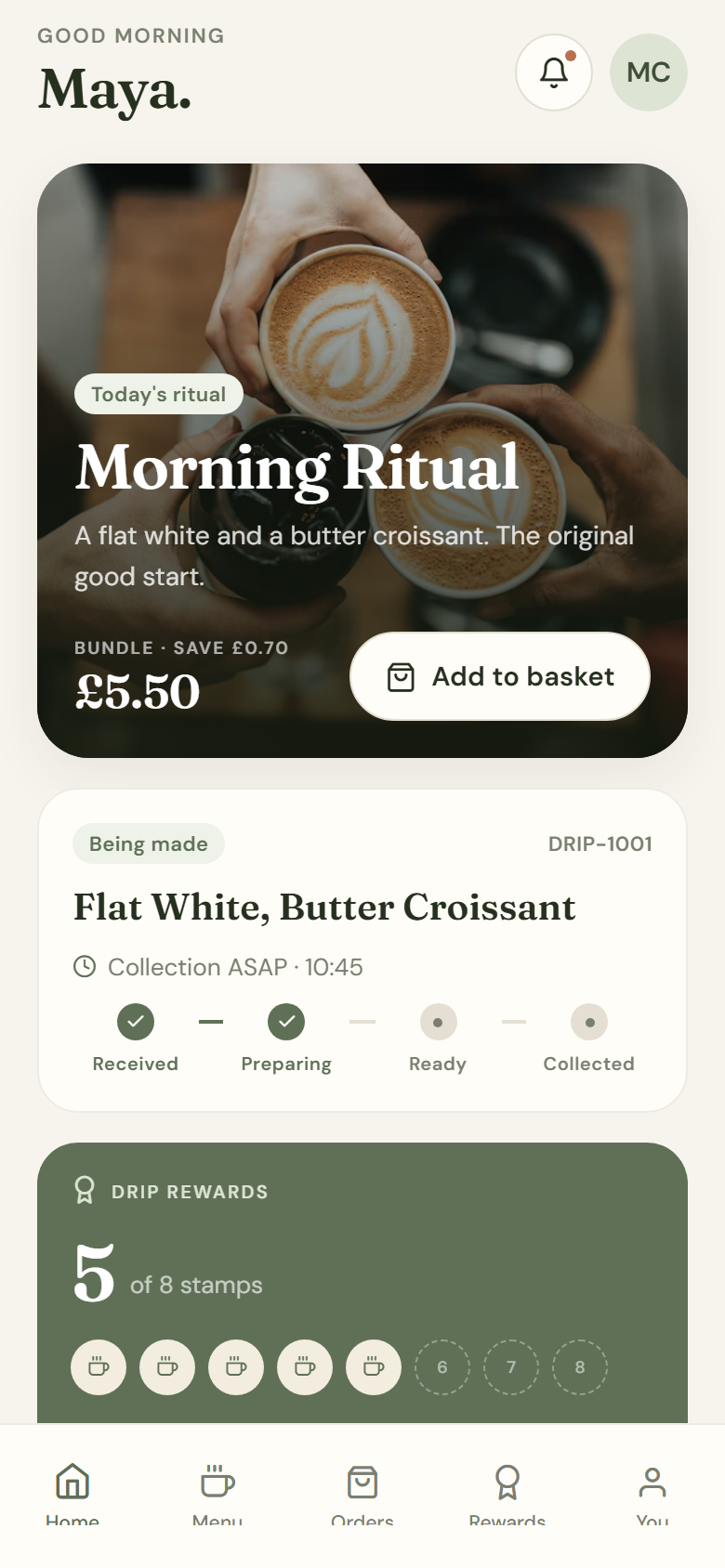
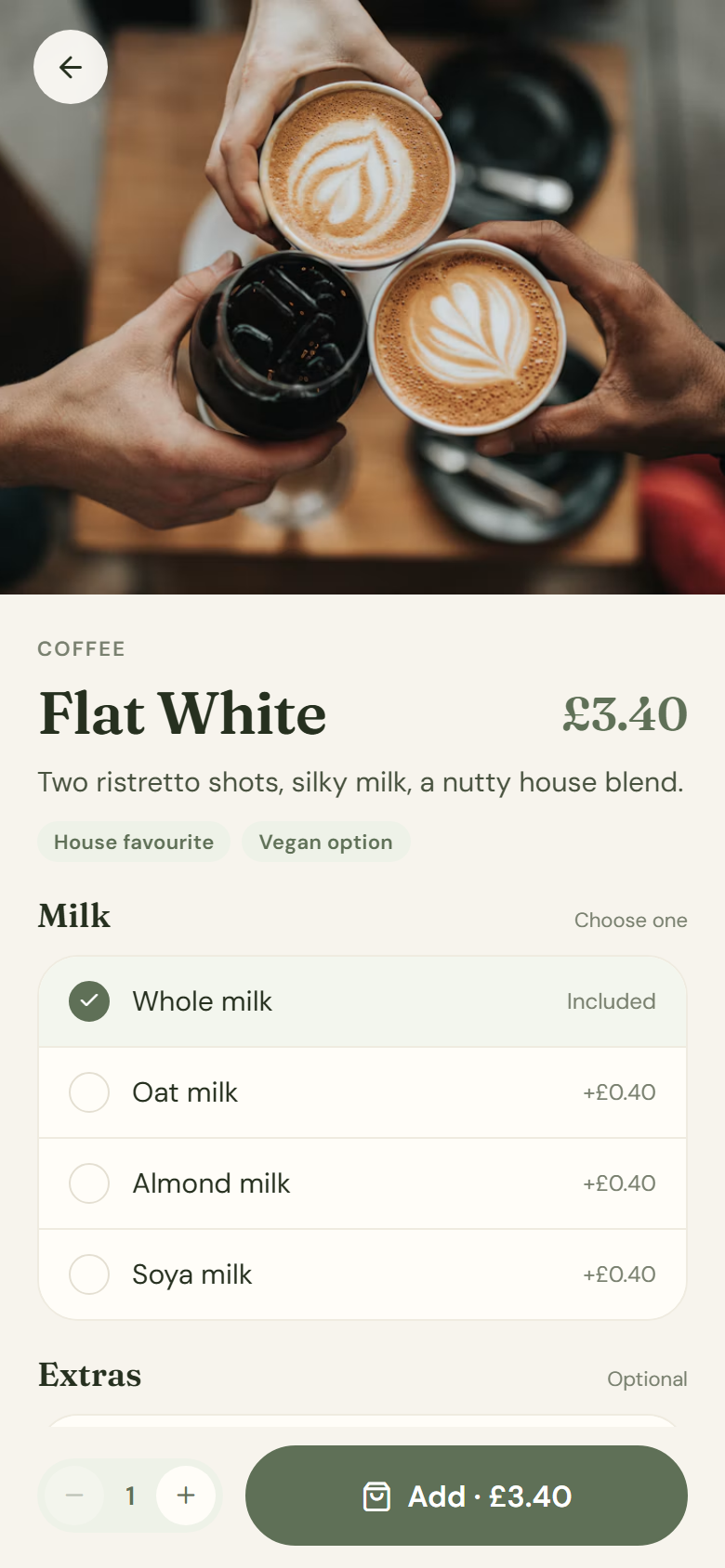
Browse a menu that looks like the shop, customise every drink, add a bundle and choose a collection time. Pay on the web or in the app — then watch the stamps add up.
Menus, milk options and extras
Pre-order and pickup slots
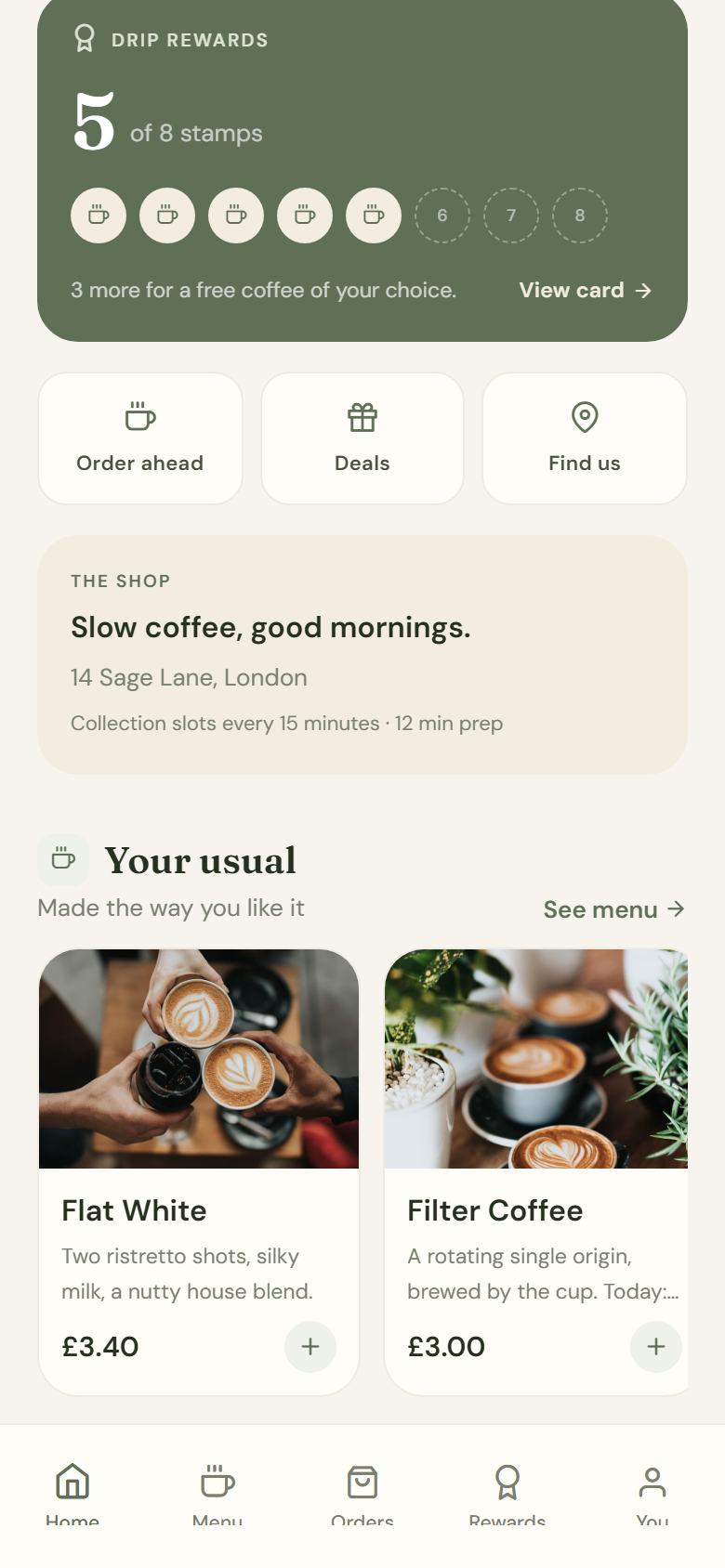
Loyalty card, stamps and QR
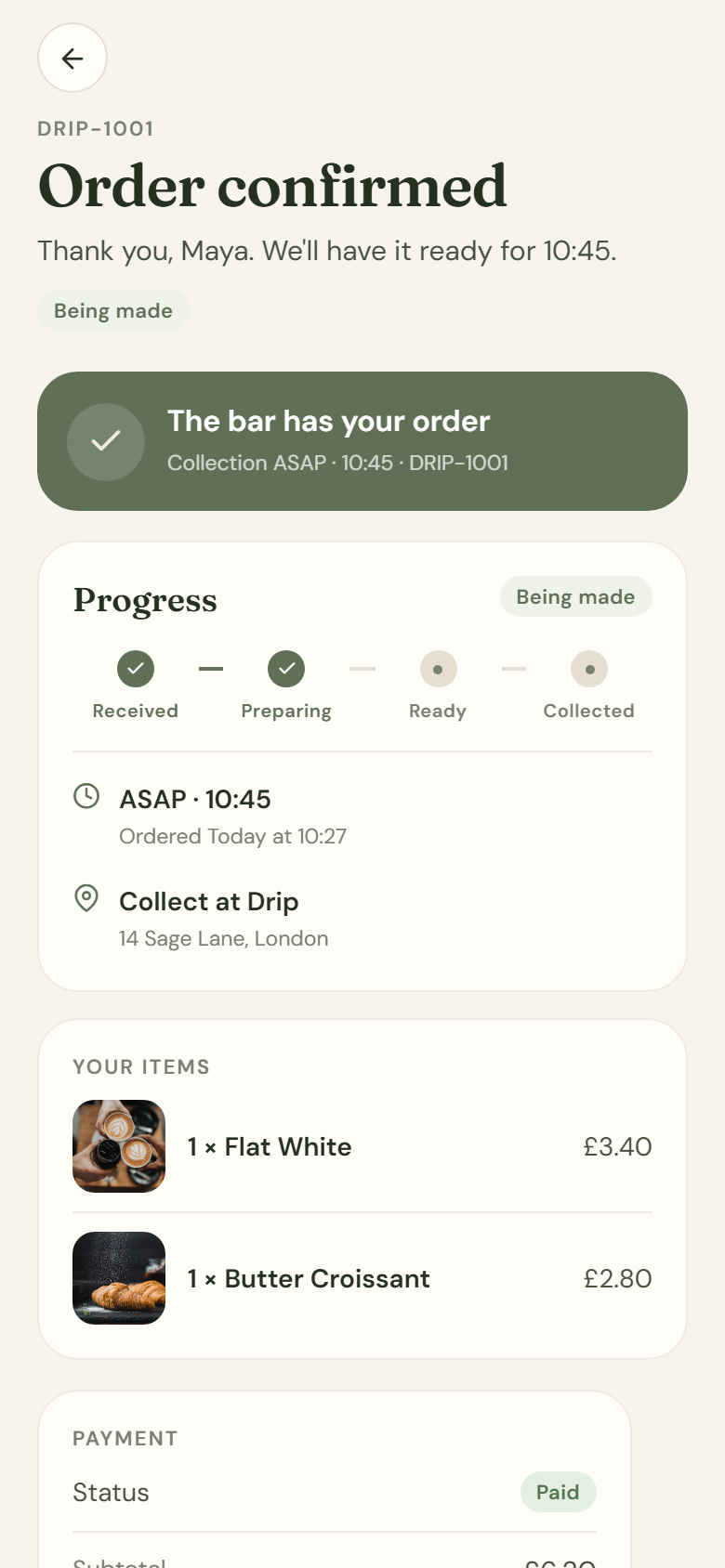
Order tracking and notifications
Secure card payment
Pre-orderASAP or scheduledLoyaltySet by adminPaymentStripe
Home
For staff
A queue that stays calm.
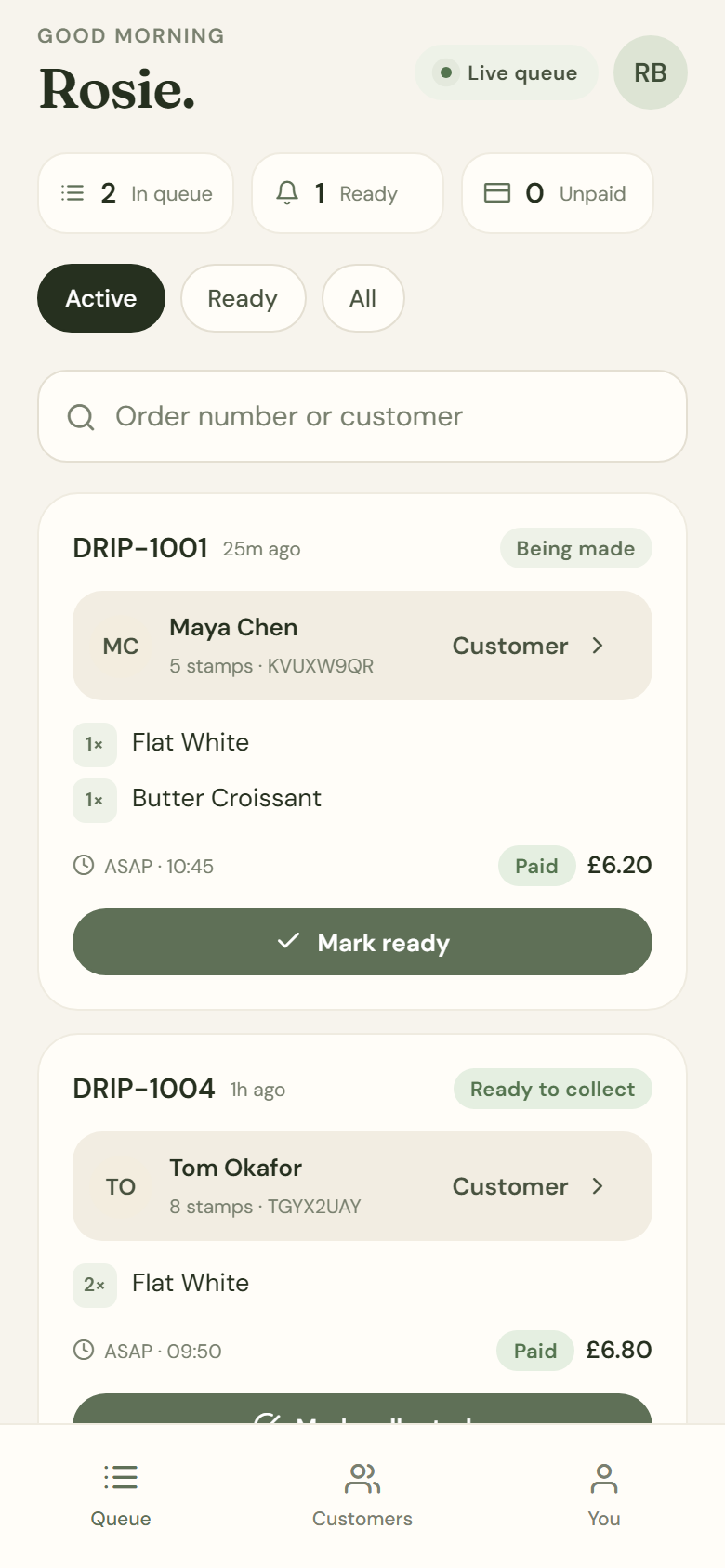
Every live order in one place, with the customer's stamp balance and note right there. Move orders from the bar to the counter, take pay-at-counter payments, and add or redeem stamps without leaving the queue.
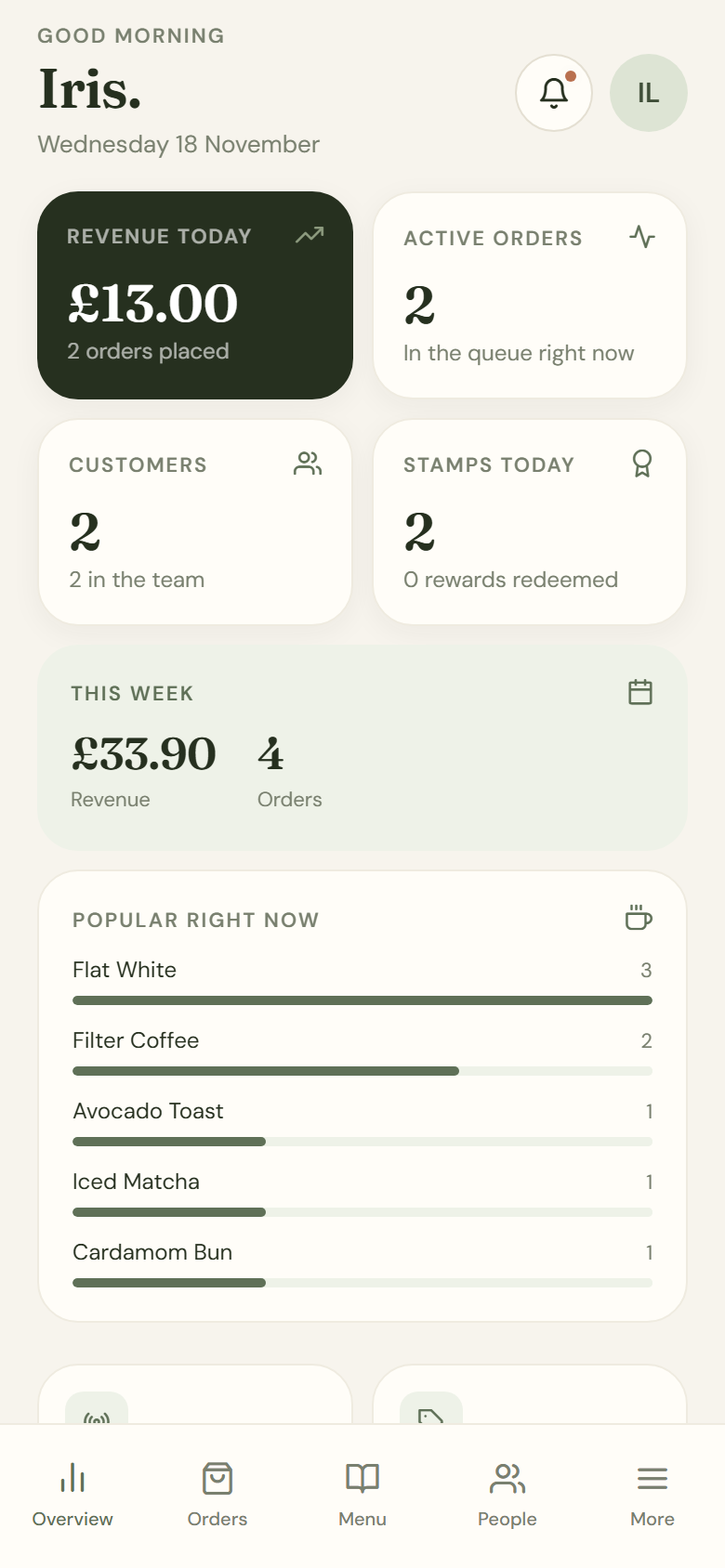
See the day at a glance, change a price before the rush, build a bundle, promote a team member and send a push to the right people. The admin portal is the same app — just with the controls unlocked.
Revenue, orders and popular items
Menu, options and availability
Bundle deals and pricing
Roles, people and access
Loyalty rules, store settings, push
RolesAdmin only changesMenuLive instantlyPushEveryone, team, one
Dashboard
A morning with Drip
From “I’ll have the usual” to “see you tomorrow.”
Every screen belongs to the same story — and the same live data.
07:48
They order
Milk, extras, a pastry, a collection time. Paid in a few taps.
07:52
The bar sees it
The queue updates, with the customer's card and note attached.
08:02
They collect
“Ready” becomes “collected” — and the stamp lands automatically.
08:03
They come back
The card is one stamp closer. The next ritual is already started.
Everything, in one place
All the features. None of the patchwork.
No separate loyalty app. No spreadsheet for the menu. No “can you text the team?” Drip connects the whole shop in one product.
Pre-order & pickup
The queue, skipped.
Let customers build their order exactly how they take it, choose a collection time and pay before they leave the house.
Milk, size, extras and per-item pricing
ASAP or a scheduled pickup slot
Notes passed straight to the bar
Live order tracking from received to collected
Loyalty
Stamps that feel like a ritual.
A digital loyalty card customers actually open. Set the target and reward once; Drip handles the stamps, the history and the moment it’s free.
Configurable stamps and reward name
Automatic stamp when an order is collected
Staff can add, adjust or redeem with a note
QR card, scanner and a complete audit trail
Live queue
A calmer bar.
Staff see every active order, the customer behind it and exactly what to do next. One tap moves it from the bar to the counter.
Active, ready and all-orders views
Mark preparing, ready and collected
Take pay-at-counter payments
Stamps awarded on collection, once
Bundle deals
Bundles that sell themselves.
Pair the flat white with the croissant, set a price, and let the saving do the talking. The admin controls every deal; the customer sees it in the menu.
Pick the items and quantities
Set a fixed bundle price
Saving calculated automatically
Hide or delete a deal in seconds
Push & inbox
Messages that land.
Send a new drink, a quiet-hour offer or a note for the team. Push goes to the devices that want it; the in-app inbox catches everyone else.
Audiences: everyone, customers, team
Or one specific person
Real Expo push delivery counts
Read state and in-app history
Roles & access
Everyone in their lane.
Customers order. Staff run the queue and the stamps. Admins control everything. Only an admin can change a role — and the API enforces it.
Customer, Staff and Admin
Promote, demote or pause an account
Last-admin protection
Stale sessions refreshed after a role change
Menu control
Change the menu before the rush.
Prices, descriptions, photos, tags, options and availability — all editable from your phone. Changes go live for customers immediately.
Categories, items and custom options
Default milk and paid extras
Visibility and featured toggles
Historic orders keep their original prices
The numbers
See the morning clearly.
Revenue, orders, active drinks, stamps issued and the items people keep coming back for — without opening a spreadsheet.
Today and this week at a glance
Stamps issued and rewards redeemed
Most popular items
Recent orders with live statuses
Payments
Payments that feel invisible.
Stripe handles the card moment: Payment Element on web, native PaymentSheet in the app. If you prefer pay-at-counter, staff can settle it in the queue.
Card payment at checkout
Apple Pay / Google Pay support
Webhook reconciliation
Pay-at-counter fallback
Every screen
The whole product, screen by screen.
These are real screens from the Drip app. Tap any one to take a closer look.
Tap any screen for a closer look
42 screens in the full product · this is a selection
One application. Everywhere.
Web. App Store. Google Play.
The same Drip application your team uses in the browser is the one your customers install on their phones. One codebase, one menu, one loyalty balance — no separate builds and no drifting versions.
Installable on iOS and Android
Instantly available in any browser
Push, camera and native payments
Real-time data across every device
Web
Open the link. No download, no app-store detour. Perfect for the first order and the desktop admin.
Instant
iOS
The full Drip experience in the App Store: push alerts, camera scanning and native payment sheets.
Native
Android
One tap from Google Play to the same account, menu and loyalty card — with the same live data.
Native
One shop, one source of truth. A price changed at the counter is a price changed on the web and in both app stores.
Designed to feel like Drip
An app that looks like your shop.
Warm cream, quiet sage and a serif that feels like the sign above the door. Every tap, stamp and transition is designed to feel considered — because the app is part of the experience, not a utility bolted on.
FrauncesGood coffee. Good mornings.DM Sans for the everyday.
A loyalty card worth opening
The practical bits
Good questions, straight answers.
Everything else is best seen live. Bring your menu and we'll load it in.
Is it really one application?
Yes. Drip is built once with Expo and React Native and runs on web, iOS and Android from the same codebase. The menu, accounts, stamps, orders and admin settings are shared across every platform.
Do customers have to download an app?
No. The web version opens from a link and works in the browser. Customers who want push notifications, camera scanning or the home-screen experience can install the native app from the App Store or Google Play.
How do staff add or redeem stamps?
Staff search a customer or scan their loyalty QR code, then add a stamp, make an adjustment or redeem the reward. Every entry is recorded against the staff member with a note, so there is a clean audit trail.
Who can change prices and roles?
Only admins can edit the menu, bundle deals, loyalty rules, store settings and people. Staff can run orders and loyalty cards. Customers only see their own orders and card.
How do push notifications work?
Admins choose an audience — everyone, customers, the team or one person — and send a message. It is delivered to native devices through Expo push and always written to the in-app inbox, even when a device has notifications off.
Can we take card payments?
Yes. Stripe is built into checkout: Payment Element on web, native PaymentSheet on iOS and Android, with webhook reconciliation. If you prefer, staff can settle an order at the counter.
See it with your own menu
Bring Drip to your counter.
Book a walkthrough and we'll load a few of your drinks, show the customer flow, the bar queue and the admin controls — all in the real app, on web and phone.